Set up site languages
Review your site's languages and request changes that its template can support.
Each CMS site has a default language and may have additional languages. Which languages can be used depends on the site's custom template. Changing the enabled languages without checking template support can leave part of the public site unavailable or incomplete in that language.
Before changing site languages, your organization administrator should contact Industrix support so we can check the template and coordinate the change. If you are not an organization administrator, ask your administrator to contact us on your behalf.
Review the current languages
- Select the intended site in App.
- Open CMS → Site Settings → Languages. In Site languages, check the language marked Default and any optional languages marked Enabled.
- Compare that list with the languages your site currently uses. Do not use Edit to add or remove a language before discussing the change with Industrix.
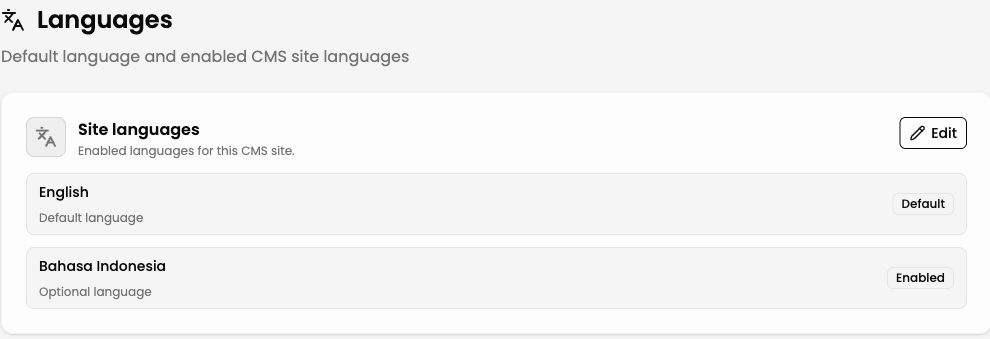
Illustrative view of a site's default and optional languages. The available languages depend on its template.
Request a change
Ask your organization administrator to contact support with your organization and site names and the language you want to add or change. If you are the organization administrator, you can contact us directly. We will check whether the current template supports it and advise on the setup and content work needed before the change is made.
Prepare content in each language
Enabling a supported language does not translate your writing. When creating site-owned content, the CMS prepares entries for the site's configured languages, but your team still needs to write and review each language's text. Later edits to one language do not automatically update the others. Check the language selector when editing content and preview each version before publishing.
If you are adding a language to an existing site, review its pages, brand name and description, contact details, and other localized content before expecting that language to be complete for visitors.